
Low-Level Extraction of the HomePod mini
October 9th, 2026 by Vladimir KatalovCategory: «Elcomsoft News», «Mobile», «Tips & Tricks»
iOS Forensic Toolkit 10.12 extracts the full file system image and the decrypted keychain from yet another IoT device: Apple HomePod mini. This is the first file system extraction of the device; the method uses the usbliter8 bootloader exploit and a custom adapter. This guide covers the hardware, the extraction and analysis steps.
Know your HomePod
Apple has shipped three HomePod models, each based on a different chip. Apple’s specifications do not list the processor; use the model identifier page at https://support.apple.com/en-us/101609 and match it to the chip below.
- HomePod (1st generation): A8. Supported through checkm8 for some time now. See HomePod Forensics II: checkm8 and Data Extraction.
- HomePod mini: S5, the same chip as the Apple Watch Series 5. This is the model this guide is about.
- HomePod (2nd generation): S7, the same chip as the Apple Watch Series 7. Not supported yet.
The S5 is roughly an A12 (iPhone Xs and Xr class). The A12 generation is within reach of the usbliter8 exploit, yet the exploit had to be adapted for this chip and this device.
Why extract a speaker
A HomePod mini does not hold as much as a phone, but it holds the kind of data that places a device in a room and connects it to the people and hardware around it. The extraction returns:
- the keychain, with the Wi-Fi passwords, Apple ID (can be used to send a request to Apple), and service tokens stored on the device;
- the Bluetooth devices the speaker has seen, including phones, watches, laptops, other HomePods and Apple TVs, and third-party accessories;
- the Apple IDs the speaker has been signed in with;
- the speaker’s own activity: music start and stop, Siri invocation events, network traffic, and software updates.
With no screen or keypad, the HomePod mini has no passcode and cannot have one. No passcode means the data partition is not protected by a user secret, and this property limits the contents: a device without a passcode is never admitted to end-to-end encrypted iCloud data, so, aside of Wi-Fi passwords that do sync whether or not the speaker connected to a certain wireless network, the keychain you get is local to the speaker.
What you need
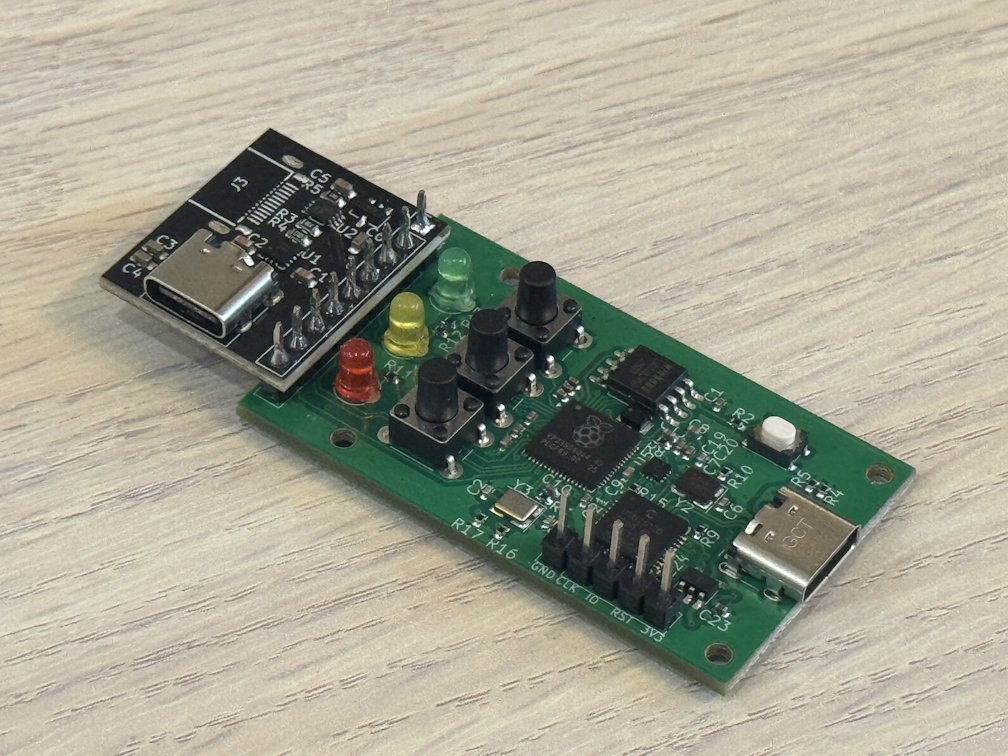
You will mostly just need the DYI adapter (Colobus with tcmini add-in), it’s open-source (both the hardware and firmware), and there are many manufacturers in any country you can order it from; the average cost is $30. Everything else is as usual: the HomePod mini itself, a USB-C cable, a macOS or Linux version of iOS Forensic Toolkit, and an active Internet connection to download the HomePod firmware.
How the adapter works
The HomePod mini has one captive USB-C cable for power and data, and no button sequence to enter DFU. DFU is therefore triggered in hardware, by the adapter, in the same spirit as the Raspberry Pi Pico we use for automated DFU on the A11 devices (see Automating DFU Mode with Raspberry Pi Pico). The difference here is that the adapter chip does two jobs: it switches the speaker into DFU and applies the exploit.
For comparison, the first-generation HomePod was simpler in one respect and stranger in another. To put it into DFU, you unplug it, turn it upside down (the diagnostic port facing up), connect to the computer with an adapter, and plug it back in. For the HomePod mini that trick is gone, which is why the adapter does the work.
Step by step
If you have the hardware, the rest is easy.
Flash the adapter
Flash the adapter once in the same way you flash a Waveshare RP2350 USB-A board; the firmware is different (get it from GitHub), though the exploit is the same usbliter8.
- Put the adapter into firmware-update mode and connect it to the computer; it appears as a mass storage device.
- Copy the firmware file from the Colobus firmware releases onto that storage device.
- Wait a few seconds. The adapter is ready, and stays flashed for all later extractions.
Connect and extract
- Connect the Colobus to the computer.
- Connect the HomePod mini to the second USB-C port, the one on the tcmini add-on that sticks out to the side.
- Wait about ten seconds for the HomePod to boot. Run
./EIFT_cmd info; the toolkit detects the speaker in Normal mode. - Press the button on the Colobus next to the red indicator. The HomePod switches to DFU immediately.
- Apply the exploit and start the ramdisk:
./EIFT_cmd bootThe toolkit detects the audioOS version and provides a firmware download link. Paste the link, or download the file and drag it onto the console window.
Once the ramdisk is up,
./EIFT_cmd inforeports the device in ramdisk mode, with its product type (AudioAccessory5,1for the mini) and the APFS volume layout.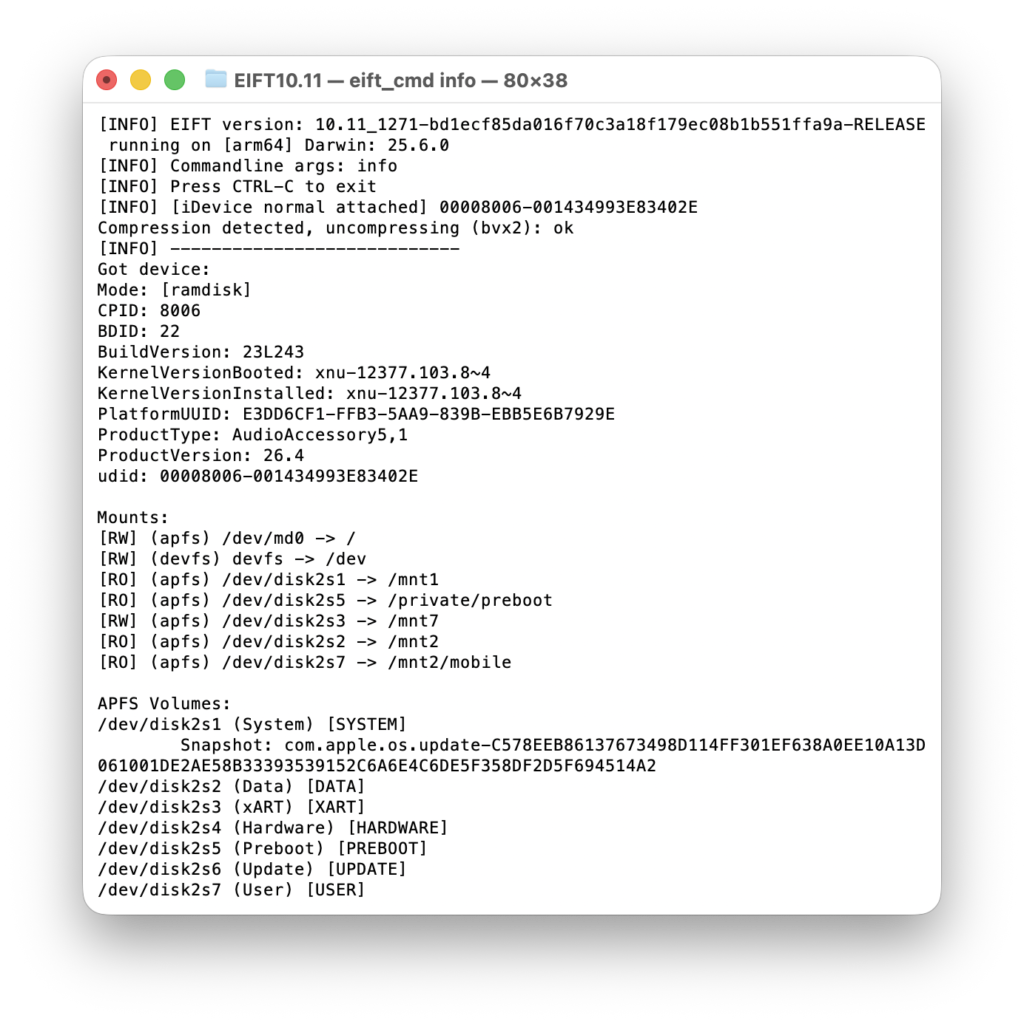
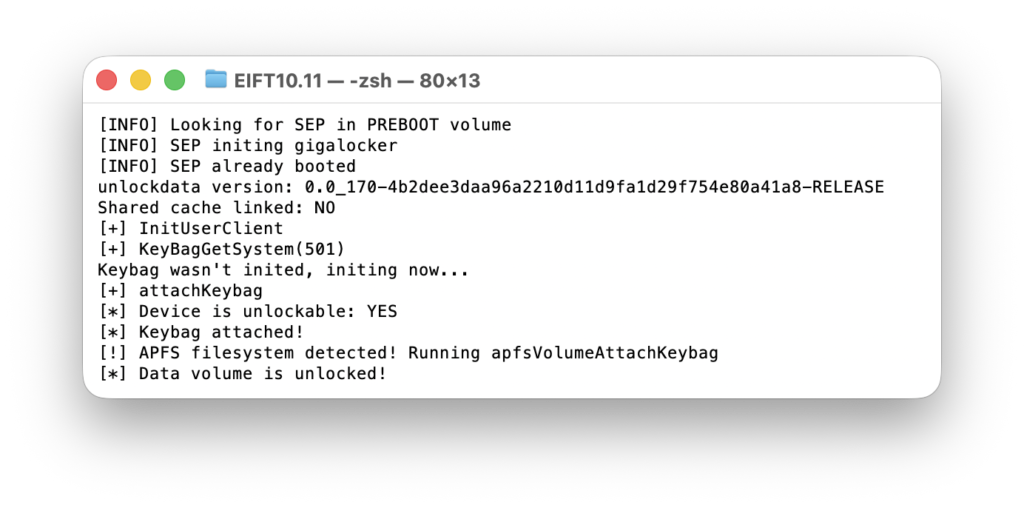
- Unlock the data partition:
./EIFT_cmd ramdisk unlockdataThe speaker has no passcode, so the volume unlocks without one. The toolkit reports the data volume as unlocked.
- Extract and decrypt the keychain:
./EIFT_cmd ramdisk keychain -o homepod.xml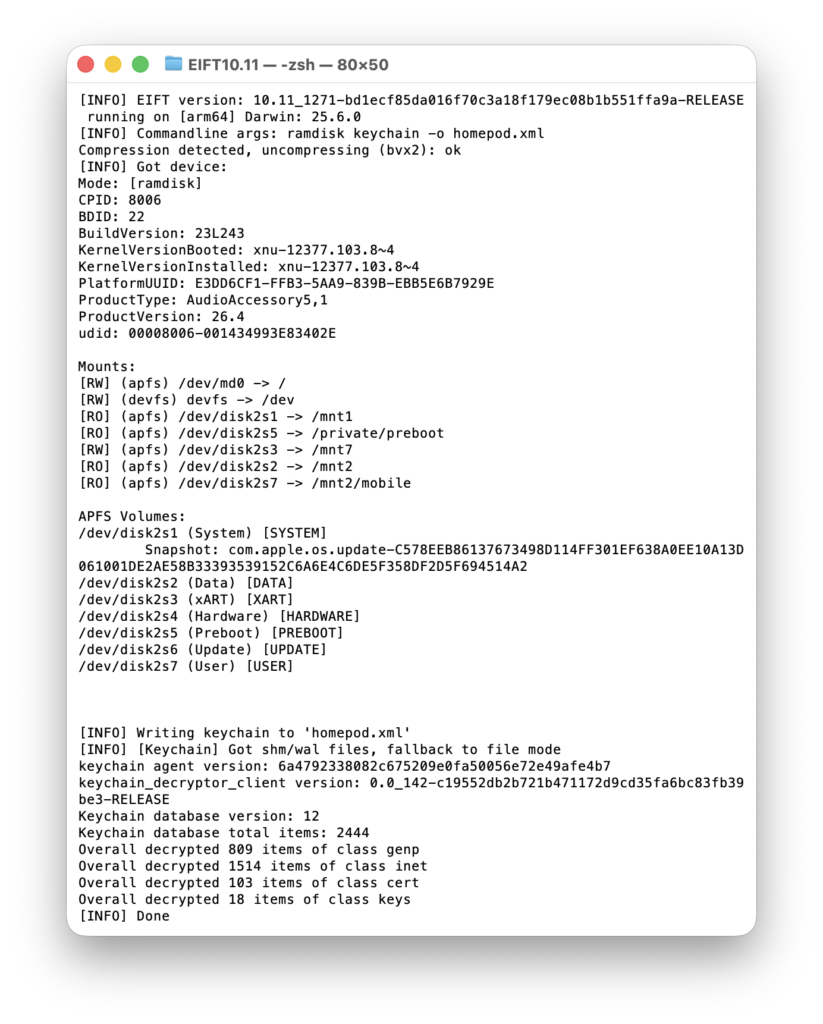
- Image the file system:
./EIFT_cmd ramdisk tar -o homepod.tarThe checksum is calculated during the extraction and shown at the end.
- Power the speaker off:
./EIFT_cmd ssh halt
Reading the keychain
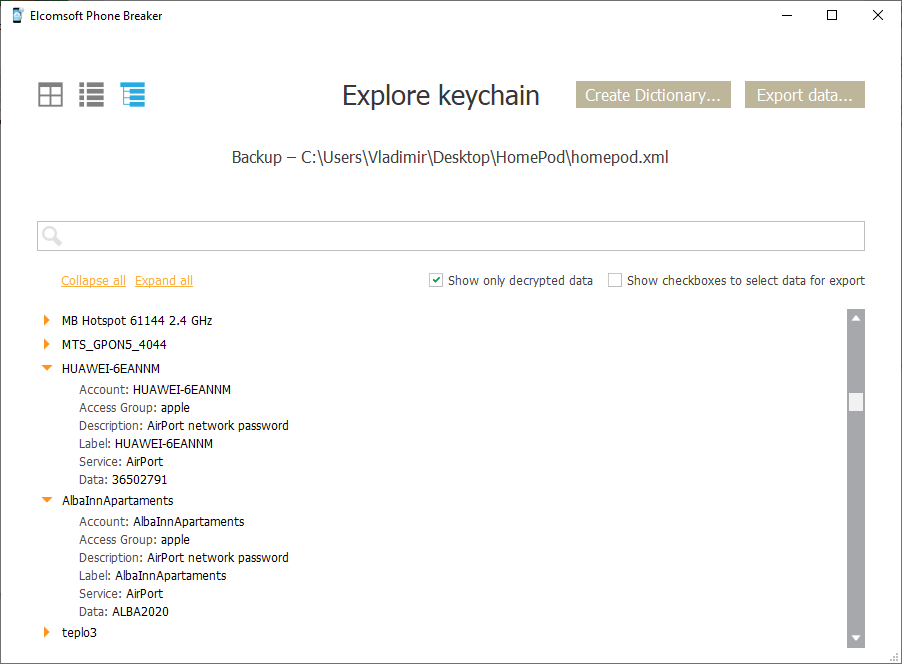
The keychain comes out as a separate file. The convenient way to read it is the Keychain Explorer in Elcomsoft Phone Breaker (EPB). Open homepod.xml (in our example) there and the records are sorted by category.
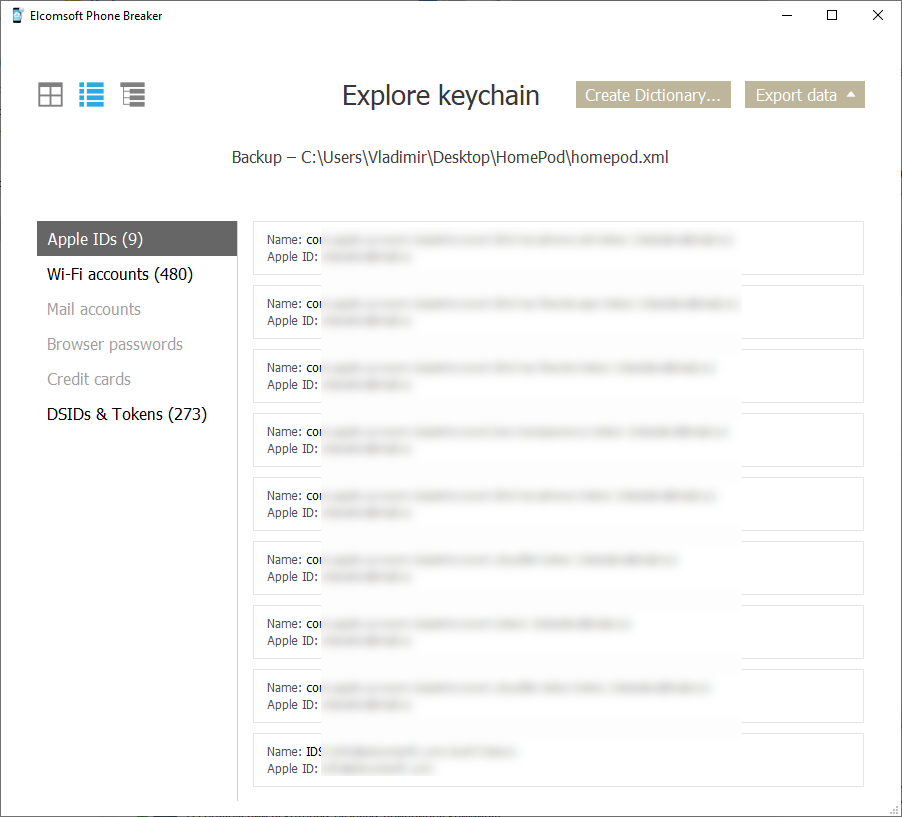
The Wi-Fi entries are the useful part. Each is an AirPort network password, with the SSID and the password in clear text.
Analysis in third-party tools
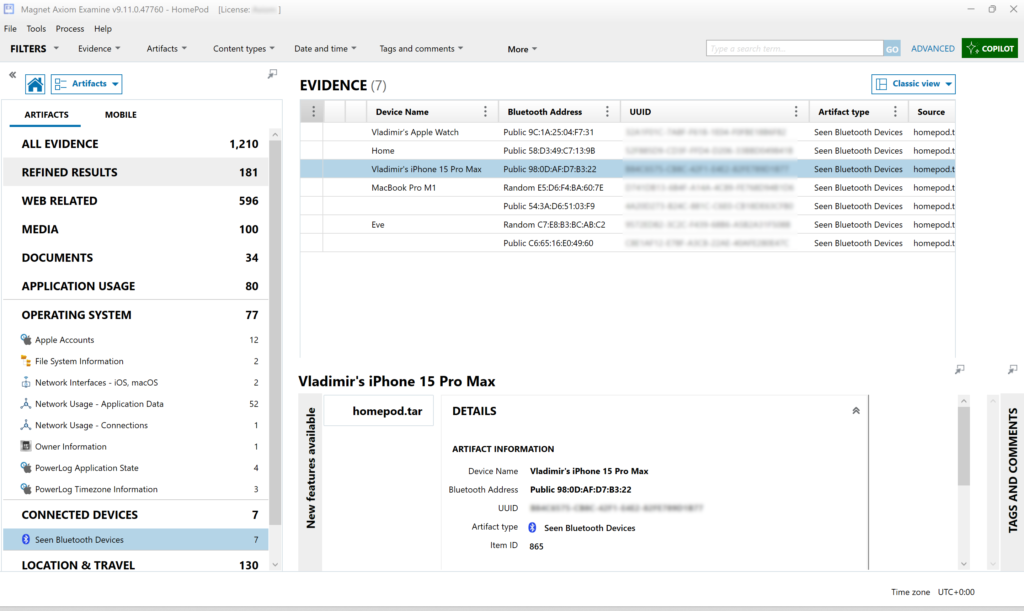
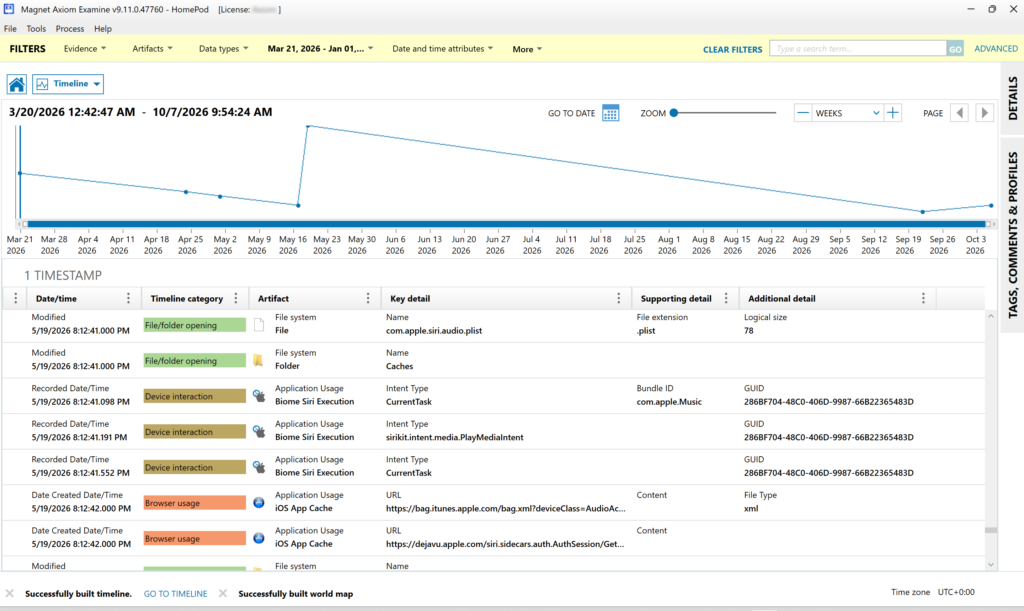
The file system image opens in general-purpose forensic tools as well. We loaded homepod.tar into Magnet AXIOM. The HomePod mini is not a rich device, so the artefact count is modest, but two things stand out.
First, the Bluetooth devices the speaker has seen. On our test extraction these included an iPhone 15 Pro Max, an Apple Watch, a MacBook Pro, an Apple TV (listed under the name “Home”), an Eve temperature sensor, and a couple of unidentified devices. Each carries a Bluetooth address and a UUID.
Second, the activity timeline: Siri execution events (without the spoken command itself), music playback events, application usage, network traffic, and updates.
One caveat on AXIOM: it asked for the path to the keychain file during processing, but did not attach its contents to the case. For the keychain, use EPB.
What about Windows?
At the moment, the HomePod mini is supported in the macOS and Linux editions only. The exploit runs on the adapter chip, so a Windows edition is feasible; it just didn’t make this release.
Conclusion
The HomePod mini joins the list of Apple devices that iOS Forensic Toolkit extracts at the bootloader level. The hardware is a build-it-yourself adapter, and the extraction is simple: flash the adapter, connect the speaker, press a button, and run the usual boot, unlock, keychain, and tar commands. The speaker holds less than a phone, but a bunch of Wi-Fi passwords, the list of devices and account IDs are often a useful starting point, and sometimes the only one available.

- iOS Forensic Toolkit 10.12: bootloader extraction for the Apple HomePod mini9 October, 2026
- Elcomsoft Phone Breaker 11.05: iCloud extraction support for iOS 27 and the iPhone 18 range6 October, 2026
- iOS Forensic Toolkit 10.11: bootloader extraction for Apple Watch Series 4 and 5, Apple TV 4K 2nd Gen21 September, 2026
- Elcomsoft Quick Triage 2.2 adds a timeline, a plugin system, and file system snapshots3 September, 2026
- Elcomsoft System Recovery 8.38: Built-In BitLocker TPM Exploit Library, Browser Artefact Extraction, and Imaging Checksums26 August, 2026